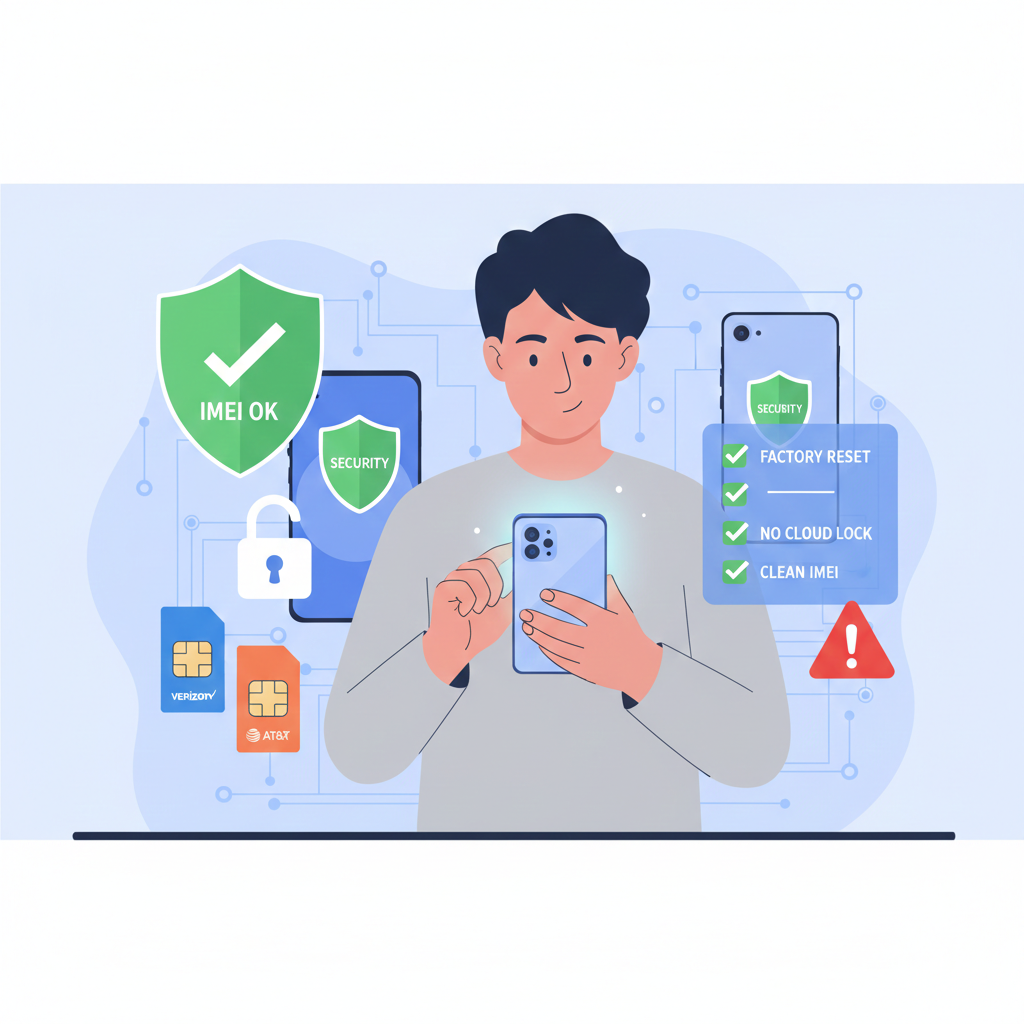
Buying a Second-Hand Phone? Complete Unlock & Safety Guide 2026
Buying a Second-Hand Phone? Complete Unlock & Safety Guide 2026
Thinking about buying a used or refurbished phone to save money? Smart move! The second-hand smartphone market is booming, with millions of people choosing pre-owned devices to save 40-70% off retail prices. However, buying a used phone comes with risks—especially carrier locks, blacklisted devices, and hidden problems.
This comprehensive guide will show you exactly how to buy a second-hand phone safely, check if it's unlocked, verify its status, and unlock it if needed. Whether you're eyeing a used iPhone 15 Pro Max, Samsung Galaxy S24 Ultra, or any other device, this guide has you covered.
Massive Savings (40-70% Off Retail)
A brand new iPhone 16 Pro costs $999, but you can find a mint-condition iPhone 15 Pro for $550-650. Similarly, a new Samsung Galaxy S25 is $799, while last year's Galaxy S24 is only $450-500.
Price Comparison Examples:
- - iPhone 15 Pro Max: $1,199 new → $650-750 used (40% savings)
- - Samsung Galaxy S24 Ultra: $1,299 new → $700-800 used (46% savings)
- - Google Pixel 8 Pro: $999 new → $500-600 used (40% savings)
- - iPhone 14 Pro: $999 new → $500-550 used (45% savings)
Environmental Benefits - Buying second-hand reduces e-waste. The average smartphone contains rare earth metals and materials that are environmentally costly to extract and manufacture
Access Premium Features on a Budget
- Get flagship features like 120Hz displays, professional cameras, and premium build quality at mid-range prices.
Immediate Availability
- No waiting for restocks or pre-orders. Buy today, use today.
What is a Carrier Lock?
When someone buys a phone from AT&T, T-Mobile, Verizon, or any carrier on a payment plan, the device is typically locked to that carrier. This means:
❌ You can't use SIM cards from other carriers
❌ No international travel flexibility
❌ Stuck with one network even if coverage is poor
❌ Lower resale value
CRITICAL: Many sellers don't disclose that their phone is carrier-locked. You might buy what you think is an unlocked iPhone 14 only to discover it's locked to Verizon.
How to Check if a Used Phone is Locked BEFORE Buying
Method 1: Ask the Seller for IMEI Every phone has a unique IMEI number (dial *#06# to find it). Request the IMEI and check the device status online BEFORE you pay.
Method 2: Test with Different SIM Cards If buying in person, bring SIM cards from different carriers and test them. If the phone rejects non-carrier SIMs, it's locked.
Method 3: Check Settings
- iPhone: Settings → General → About → Carrier Lock (should say "No SIM restrictions")
- Android: Settings → About Phone → IMEI/SIM Status
Essential Checks Before Buying Any Used Phone
1. IMEI Check - THE MOST IMPORTANT STEP
Always verify the IMEI before buying. This single check reveals:
✅ Carrier Lock Status - Is it locked to AT&T, T-Mobile, Verizon, etc.?
✅ Blacklist Status - Is it reported stolen, lost, or has unpaid bills?
✅ iCloud/FMI Status - (For iPhones) Is Activation Lock enabled?
✅ Warranty Status - How much warranty remains?
✅ Model Information - Storage capacity, color, exact model
✅ Purchase Country - Original market (affects band compatibility)
RED FLAGS from IMEI Check:
🚩 Blacklisted = DON'T BUY (won't work on any major US carrier)
🚩 iCloud locked iPhone = DON'T BUY (will be useless)
🚩 Carrier locked = Negotiate price down OR plan to unlock it
Cost: Professional IMEI check services cost $2-5 but can save you hundreds of dollars in mistakes.
2. Physical Inspection Checklist
Screen:
- - No cracks, scratches, or dead pixels
- - Test touch response in all areas
- - Check brightness levels
- - Look for screen burn-in (especially OLED displays)
Body:
- - Check all buttons (volume, power, mute switch)
- - Inspect charging port for damage
- - Look for water damage indicators
- - Check camera lenses for scratches
- - Test Face ID/Touch ID/fingerprint sensors
Battery Health:
- iPhone: Settings → Battery → Battery Health (should be 85%+ for good condition)
- Android: Use AccuBattery app or check in Settings
Cameras:
- - Test all camera lenses (wide, ultra-wide, telephoto, selfie)
- - Check for lens scratches or haze
- - Test flash functionality
Connectivity:
- - Test Wi-Fi connection
- - Check Bluetooth pairing
- - Make a test call
- - Send a text message
- - Test mobile data
3. Software & Account Checks
For iPhones:
- ✅ Device must be signed out of iCloud (Settings → [Name] → Sign Out)
- ✅ Find My iPhone must be DISABLED
- ✅ Not Activation Locked
- ✅ Can complete setup without previous owner's Apple ID
For Android:
- ✅ Signed out of Google account
- ✅ Factory Reset Protection (FRP) disabled
- ✅ No screen lock (PIN/pattern/password) unless you know it
WARNING: An iPhone with Activation Lock is a paperweight. Even if the seller "forgot" their password, you cannot use it. Walk away.
4. Accessories Check
What's included?
- - Original box (nice to have, adds value)
- - Charging cable
- - Charging adapter
- - Earbuds (if included originally)
- - Case or screen protector
What to Do if You Bought a Carrier-Locked Phone
Professional unlock services can unlock carrier-locked phones regardless of:
- Whether the device is paid off
- Account status
- Time requirements
- Original owner cooperation
How It Works:
Find your IMEI (dial *#06#)
- Order unlock service for your specific device
- Receive unlock confirmation in 2-6 days
- Follow simple instructions to complete unlock
- - Enjoy your unlocked phone with any carrier
Specific Unlock Services by Device:
Popular iPhone Models:
- Unlock iPhone 15 Pro Max
- Unlock iPhone 15 Pro
- Unlock iPhone 14 Pro Max
- Unlock iPhone 14 Pro
- Unlock iPhone 13 Pro
Popular Samsung Models:
Other Brands:
Scam #1: "Financed Phone" Scam
Seller sells you a phone that's still being paid off. 2-3 months later, carrier blacklists it for non-payment.
Protection: Check IMEI for financing status
Scam #2: Activation Lock Scam
Seller claims they "forgot password" but will "figure it out." You're left with a useless iPhone.
Protection: Verify Activation Lock is OFF before paying
Scam #3: Stolen Phone
Phone works initially but gets blacklisted within weeks when reported stolen.
Protection: Verify not blacklisted via IMEI check
Scam #4: Counterfeit Phone
Fake iPhones or Samsung phones that look real but run sketchy software.
Protection: Check IMEI with Apple/Samsung, look for authentic serial numbers
Scam #5: Fake Payment Confirmations
Seller shows fake PayPal/Venmo confirmation. Money never arrives.
Protection: Meet in person or use platform escrow (Swappa, eBay)
YES, if you:
✅ Buy from reputable platforms
✅ Thoroughly inspect the device
✅ Are comfortable with minor cosmetic wear
✅ Want to save 40-70% off retail
✅ Don't need the absolute latest model
✅ Are willing to unlock if needed
NO, if you:
❌ Need manufacturer warranty
❌ Want guaranteed brand-new condition
❌ Can't afford potential repair costs
❌ Don't want to deal with potential issues
❌ Need the latest model immediately
Bought a carrier-locked used phone? No problem!
Start Your Unlock Process Here
Why Choose EasySimUnlocker?
✅ 2-6 Day Average Unlock Time
✅ 95%+ Success Rate
✅ Money-Back Guarantee
✅ 24/7 Customer Support
✅ Works with ALL Carriers (AT&T, T-Mobile, Verizon, Sprint, Cricket, Metro, etc.)
✅ Permanent Unlock (survives factory resets and updates)
✅ No Technical Skills Required
✅ Secure & Legal
Popular Device Unlock Services:
- - iPhone Unlock Service
- - Samsung Unlock Service
- - Google Pixel Unlock Service
- - Motorola Unlock Service
- - Check All Supported Devices
Not sure if your phone can be unlocked? Check your device status with IMEI verification - Get instant eligibility report!
Buying a second-hand phone can save you hundreds or even thousands of dollars while still getting a premium device. The key is doing your homework:
- Always check IMEI before buying
- Thoroughly inspect the physical condition
- Buy from reputable platforms when possible
- Verify accounts are signed out and locks disabled
- Don't panic if the phone is carrier-locked - professional unlock services make it easy to use with any carrier
With these precautions, you can confidently buy a second-hand smartphone and enjoy flagship features at budget prices. Happy shopping!
Q1: Is buying a second-hand phone safe in 2026?
A: Yes, buying a second-hand phone in 2026 is safe if you verify the IMEI, check for carrier locks, ensure the device isn’t blacklisted, and confirm that all accounts are signed out. Most problems arise only when buyers skip these checks.
Q2: How can I check if a used phone is carrier locked?
A: You can check carrier lock status by: Verifying the IMEI with an online checker Testing SIM cards from different carriers On iPhone: Settings → General → About → Carrier Lock If it says “No SIM restrictions,” the phone is unlocked.
Q3: What happens if I buy a blacklisted phone?
A: A blacklisted phone will not work on any major carrier, even if it powers on. Blacklisting usually happens due to theft, loss, or unpaid bills. If an IMEI check shows blacklisted status, do not buy the device.
Q4: Can a carrier-locked phone be unlocked permanently?
A: Yes. Carrier-locked phones can be permanently unlocked using professional IMEI-based unlock services. Once unlocked, the phone works with any compatible carrier worldwide and remains unlocked after updates or factory resets.
Q5: Is it worth buying a used iPhone or Samsung instead of new?
A: Absolutely. Buying a used iPhone or Samsung can save 40–70% off retail price while still offering flagship performance, premium cameras, and long software support — especially if you don’t need the latest model.
admin@gmail.com